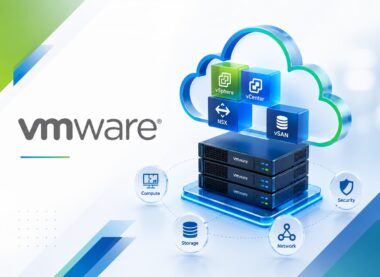
Azure VMware Solution: Deploy Disaster Recovery with VMware SRM
Develop practical Azure VMware Solution: Deploy Disaster Recovery with VMware SRM capability through four distinct VMware-focused lessons with demonstrations, hands-on exercises, evidence-led validation, troubleshooting, and operational handover.
-
 -by SkillDynamo
- 0 Students
- Last updated
Course Description
Azure VMware Solution: Deploy Disaster Recovery with VMware SRM develops practical capability for a tested disaster-recovery service between on-premises vSphere and Azure VMware Solution using VMware Site Recovery Manager and vSphere Replication with measurable RPO, RTO, recovery sequencing, and failback controls. The learning path begins with recovery requirements, avs topology, srm, and replication design and progresses through srm deployment, pairing, replication, and inventory mappings, keeping architecture, access, dependencies, and measurable acceptance connected.
Applied work is situated in a regulated business service with multi-tier dependencies, fixed recovery objectives, limited test windows, and a requirement to prove non-disruptive recovery rehearsals. Participants then address recovery plans, testing, failover, reprotect, and failback and monitoring, failure analysis, governance, and operational handover, using DR requirements matrix and AVS recovery architecture review, paired-site configuration record and protected-workload validation, recovery-plan test report and timed failover trace, and audit-ready DR runbook and recovery-governance checklist to compare intended design with observed behavior.
By completion, learners can implement, validate, troubleshoot, and hand over the course workflows with defensible evidence. The final operating record identifies unresolved risks, monitoring requirements, recovery actions, owners, and the next controlled improvement.
What You Will Learn
- Decompose business impact and service tiers, RPO and RTO translation, on-premises and AVS topology into roles, prerequisites, decision points, and measurable acceptance criteria.
- Configure connectivity prerequisites, identity and permissions, storage considerations, capacity and recovery sizing, recovery-design assumptions and substantiate the result with DR requirements matrix and AVS recovery architecture review.
- Carry out SRM deployment, site pairing, vSphere Replication registration while documenting effective state, downstream effects, and a safe reversal point.
- Read paired-site configuration record and protected-workload validation to locate why “placeholder virtual machines being created in a datastore without sufficient operational access” occurred and select the smallest defensible correction.
- Align recovery-plan construction, priority groups, dependencies and scripts with governance, availability, security, scale, and lifecycle expectations.
- Stress test recovery and cleanup, planned migration, disaster failover, reprotect, failback acceptance using representative users, traffic, failures, and recovery steps, then document exceptions.
- Diagnose “a successful technical test being accepted even though business validation was never recorded” by checking ownership, connectivity, health, logs, and timing in a deliberate order.
- Close the work with audit-ready DR runbook and recovery-governance checklist, a support handoff, unresolved-action owners, and a verified rollback route.
SkillDynamo Training Approach
The course turns recovery objectives into protection mappings, replication evidence, sequenced recovery plans, isolated test results, and an auditable runbook that operations teams can execute during an incident. Delivery includes instructor demonstrations, guided exercises, scenario comparison, validation checklists, structured troubleshooting, and an evidence-backed improvement plan.
Curriculum
- 1 Section
- 4 Lessons
- 16 Hours
- Course Curriculum4 Items
- 1.1Azure VMware Solution: Deploy Disaster Recovery with VMware SRM — Lesson 1: Recovery Requirements, AVS Topology, SRM, and Replication Design4 hours
- 1.2Azure VMware Solution: Deploy Disaster Recovery with VMware SRM — Lesson 2: SRM Deployment, Pairing, Replication, and Inventory Mappings4 hours
- 1.3Azure VMware Solution: Deploy Disaster Recovery with VMware SRM — Lesson 3: Recovery Plans, Testing, Failover, Reprotect, and Failback4 hours
- 1.4Azure VMware Solution: Deploy Disaster Recovery with VMware SRM — Lesson 4: Monitoring, Failure Analysis, Governance, and Operational Handover4 hours
SkillDynamo Expert Team
Instructor-led delivery tailored to Azure VMware Solution: Deploy Disaster Recovery with VMware SRM, with VMware-environment demonstrations, guided configuration activities, practical implementation scenarios, validation checkpoints, and troubleshooting guidance. The SkillDynamo Expert Team helps learners understand Recovery Requirements, AVS Topology, SRM, and Replication Design; SRM Deployment, Pairing, Replication, and Inventory Mappings; Recovery Plans, Testing, Failover, Reprotect, and Failback; Monitoring, Failure Analysis, Governance, and Operational Handover and apply the workflows confidently in real-world virtual infrastructure and cloud environments.
Student Reviews
No published reviews yet.
Log in with your student account to submit a review. Register using your email.