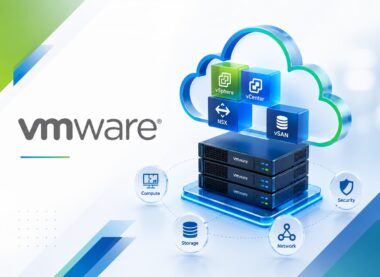
VMware Horizon 8: Virtual Desktop Bootcamp
Develop practical VMware Horizon 8: Virtual Desktop Bootcamp capability through four distinct VMware-focused lessons with demonstrations, hands-on exercises, evidence-led validation, troubleshooting, and operational handover.
-
 -by SkillDynamo
- 0 Students
- Last updated
Course Description
VMware Horizon 8: Virtual Desktop Bootcamp develops hands-on understanding of Horizon architecture, connection servers, unified access gateways, protocols, Installation, broker configuration, UAG deployment. Learners move from requirements and dependencies to implementation, validation, troubleshooting, and supportable VMware operations.
Later lessons examine RDS farms, published applications, profiles, Dynamic Environment Manager, Help Desk Tool, monitoring, logs. Participants use bootcamp architecture plan and prerequisite checklist, Horizon deployment record and user login acceptance test, application-and-profile delivery test with persona evidence, virtual desktop operations runbook and support simulation to distinguish configuration, access, network, storage, performance, and lifecycle issues rather than treating them as one generic failure.
After the four lessons, learners can help establish a practical Horizon 8 virtual-desktop environment that combines secure access, automated desktop provisioning, application delivery, personalization, user support, and operational monitoring. They also document follow-up actions for performance, security, lifecycle, support, and adoption.
What You Will Learn
- Explain how Horizon architecture, connection servers, and unified access gateways establish the technical foundation and influence later design decisions.
- Configure protocols, clients, agents, directory services, certificates, networks, storage, and deployment planning, then confirm readiness through bootcamp architecture plan and prerequisite checklist instead of relying on completion messages alone.
- Execute a controlled workflow covering Installation, broker configuration, and UAG deployment, preserving prerequisites, changes, and resulting service behavior.
- Read Horizon deployment record and user login acceptance test to isolate an instant-clone pool failing because the image snapshot hierarchy changed, separate symptoms from causes, and choose a correction that can be safely retested.
- Integrate RDS farms, published applications, and profiles with access, capacity, resilience, and downstream operational expectations.
- Challenge Dynamic Environment Manager, App Volumes concepts, policies, USB and printing controls, client settings, and user experience using normal and boundary cases, then defend the outcome with application-and-profile delivery test with persona evidence.
- Investigate a login delay being escalated without separating broker, profile, application, and storage timings by reviewing Help Desk Tool, monitoring, and logs before applying a reversible fix.
- Prepare virtual desktop operations runbook and support simulation that demonstrates performance, capacity, troubleshooting, backup, upgrades, security hardening, documentation, and operational handover and supports handover, monitoring, governance, and the next improvement decision.
SkillDynamo Training Approach
Training uses instructor walkthroughs, hands-on implementation, role-based exercises, boundary testing, troubleshooting drills, review checkpoints, and structured handover. Learners practise explaining why a result is acceptable rather than merely showing that a task completed.
Curriculum
- 1 Section
- 4 Lessons
- 40 Hours
- Course Curriculum4 Items
- 1.1VMware Horizon 8: Virtual Desktop Bootcamp — Lesson 1: Horizon architecture, connection servers, unified access gateways, protocols, clients, agents, directory services, certificates, networks, storage, and deployment planning10 hours
- 1.2VMware Horizon 8: Virtual Desktop Bootcamp — Lesson 2: Installation, broker configuration, UAG deployment, authentication, instant-clone prerequisites, golden images, desktop pools, entitlements, and session tests10 hours
- 1.3VMware Horizon 8: Virtual Desktop Bootcamp — Lesson 3: RDS farms, published applications, profiles, Dynamic Environment Manager, App Volumes concepts, policies, USB and printing controls, client settings, and user experience10 hours
- 1.4VMware Horizon 8: Virtual Desktop Bootcamp — Lesson 4: Help Desk Tool, monitoring, logs, performance, capacity, troubleshooting, backup, upgrades, security hardening, documentation, and operational handover10 hours
SkillDynamo Expert Team
Instructor-led delivery tailored to VMware Horizon 8: Virtual Desktop Bootcamp, with VMware-specific demonstrations, guided configuration activities, practical implementation scenarios, validation checkpoints, and troubleshooting guidance. The SkillDynamo Expert Team helps learners understand Horizon architecture, connection servers, unified access gateways, protocols, clients, agents, directory services, certificates, networks, storage, and deployment planning, Installation, broker configuration, UAG deployment, authentication, instant-clone prerequisites, golden images, desktop pools, entitlements, and session tests, RDS farms, published applications, profiles, Dynamic Environment Manager, App Volumes concepts, policies, USB and printing controls, client settings, and user experience, Help Desk Tool, monitoring, logs, performance, capacity, troubleshooting, backup, upgrades, security hardening, documentation, and operational handover and apply the workflows confidently in real-world VMware environments.
Student Reviews
No published reviews yet.
Log in with your student account to submit a review. Register using your email.