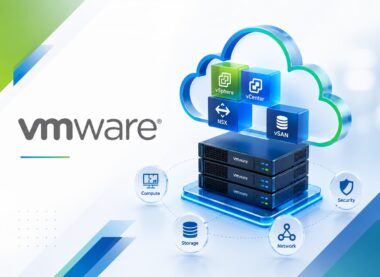
VMware Virtualization Basics
Develop practical VMware Virtualization Basics capability through four distinct VMware-focused lessons with demonstrations, hands-on exercises, evidence-led validation, troubleshooting, and operational handover.
-
 -by SkillDynamo
- 0 Students
- Last updated
Course Description
VMware Virtualization Basics prepares infrastructure and application professionals to work confidently with Virtualization principles, physical versus virtual infrastructure, hypervisors, ESXi, vSphere Client navigation, inventory objects, permissions. Activities emphasize repeatable configuration, realistic tests, evidence quality, and accountable handover.
Practical work also covers Standard switches, port groups, VLAN concepts, physical adapters, Power operations, resource monitoring, alarms. Evidence such as virtualization concept map and component identification exercise, virtual-machine build checklist and lifecycle demonstration, VM network-and-storage map with connectivity checks, basic vSphere operations guide and support checklist supports boundary testing, fault isolation, corrective action, and safe transition to operational ownership.
On completing the course, learners can defend the implementation and operation of a usable understanding of VMware virtualization fundamentals, including ESXi hosts, vCenter inventory, virtual machines, networking, storage, resource use, availability, and routine administration. A final plan identifies acceptance gaps, rollback considerations, owners, and operational safeguards.
What You Will Learn
- Explain how Virtualization principles, physical versus virtual infrastructure, and hypervisors establish the technical foundation and influence later design decisions.
- Configure ESXi, vCenter, clusters, hosts, resource abstraction, terminology, and use cases, then confirm readiness through virtualization concept map and component identification exercise instead of relying on completion messages alone.
- Execute a controlled workflow covering vSphere Client navigation, inventory objects, and permissions, preserving prerequisites, changes, and resulting service behavior.
- Read virtual-machine build checklist and lifecycle demonstration to isolate a snapshot being used as a long-term backup and filling the datastore, separate symptoms from causes, and choose a correction that can be safely retested.
- Integrate Standard switches, port groups, and VLAN concepts with access, capacity, resilience, and downstream operational expectations.
- Challenge physical adapters, vmkernel services, datastores, VMFS, NFS, storage paths, and connectivity basics using normal and boundary cases, then defend the outcome with VM network-and-storage map with connectivity checks.
- Investigate an alarm being acknowledged without verifying whether service impact continues by reviewing Power operations, resource monitoring, and alarms before applying a reversible fix.
- Prepare basic vSphere operations guide and support checklist that demonstrates migration concepts, HA and DRS overview, patching, backup, security, troubleshooting steps, and handover and supports handover, monitoring, governance, and the next improvement decision.
SkillDynamo Training Approach
Sessions move from concept mapping to guided build, scenario analysis, evidence-based validation, reversible correction, operational review, and improvement planning. Both expected flows and failure conditions are tested before a result is accepted.
Curriculum
- 1 Section
- 4 Lessons
- 16 Hours
- Course Curriculum4 Items
- 1.1VMware Virtualization Basics — Lesson 1: Virtualization principles, physical versus virtual infrastructure, hypervisors, ESXi, vCenter, clusters, hosts, resource abstraction, terminology, and use cases4 hours
- 1.2VMware Virtualization Basics — Lesson 2: vSphere Client navigation, inventory objects, permissions, virtual machine creation, virtual hardware, guest installation, VMware Tools, templates, clones, and snapshots4 hours
- 1.3VMware Virtualization Basics — Lesson 3: Standard switches, port groups, VLAN concepts, physical adapters, vmkernel services, datastores, VMFS, NFS, storage paths, and connectivity basics4 hours
- 1.4VMware Virtualization Basics — Lesson 4: Power operations, resource monitoring, alarms, migration concepts, HA and DRS overview, patching, backup, security, troubleshooting steps, and handover4 hours
SkillDynamo Expert Team
Instructor-led delivery tailored to VMware Virtualization Basics, with VMware-specific demonstrations, guided configuration activities, practical implementation scenarios, validation checkpoints, and troubleshooting guidance. The SkillDynamo Expert Team helps learners understand Virtualization principles, physical versus virtual infrastructure, hypervisors, ESXi, vCenter, clusters, hosts, resource abstraction, terminology, and use cases, vSphere Client navigation, inventory objects, permissions, virtual machine creation, virtual hardware, guest installation, VMware Tools, templates, clones, and snapshots, Standard switches, port groups, VLAN concepts, physical adapters, vmkernel services, datastores, VMFS, NFS, storage paths, and connectivity basics, Power operations, resource monitoring, alarms, migration concepts, HA and DRS overview, patching, backup, security, troubleshooting steps, and handover and apply the workflows confidently in real-world VMware environments.
Student Reviews
No published reviews yet.
Log in with your student account to submit a review. Register using your email.