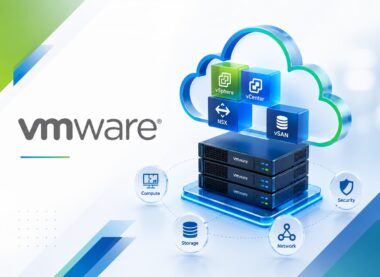
VMware vSAN: Introduction
Develop practical VMware vSAN: Introduction capability through four distinct VMware-focused lessons with demonstrations, hands-on exercises, evidence-led validation, troubleshooting, and operational handover.
-
 -by SkillDynamo
- 0 Students
- Last updated
Course Description
VMware vSAN: Introduction focuses on designing and operating Hyperconverged infrastructure, vSAN purpose, cluster architecture, disk groups, Hardware compatibility, host requirements, storage controllers. Participants learn how VMware components interact and how to detect weak assumptions before they become production incidents.
Advanced activities address vSAN datastore, storage policies, failures to tolerate, RAID concepts, Health service, performance basics, capacity views. Through vSAN architecture sketch and terminology assessment, basic readiness checklist and compatibility lookup record, policy example and object-compliance walkthrough, vSAN monitoring checklist and learner action plan, learners validate resilience, security, observability, recoverability, and readiness for support.
Participants leave prepared to deliver a foundational understanding of vSAN architecture, hardware, networking, storage policies, object behavior, resilience, health, capacity, and everyday operational concepts. Their closing plan converts test findings into practical actions for governance, monitoring, remediation, and future releases.
What You Will Learn
- Explain how Hyperconverged infrastructure, vSAN purpose, and cluster architecture establish the technical foundation and influence later design decisions.
- Configure disk groups, cache, capacity devices, object model, components, witnesses, and terminology, then confirm readiness through vSAN architecture sketch and terminology assessment instead of relying on completion messages alone.
- Execute a controlled workflow covering Hardware compatibility, host requirements, and storage controllers, preserving prerequisites, changes, and resulting service behavior.
- Read basic readiness checklist and compatibility lookup record to isolate an unsupported controller configuration being selected for a new cluster, separate symptoms from causes, and choose a correction that can be safely retested.
- Integrate vSAN datastore, storage policies, and failures to tolerate with access, capacity, resilience, and downstream operational expectations.
- Challenge RAID concepts, object placement, compliance, resynchronization, maintenance modes, and capacity overhead using normal and boundary cases, then defend the outcome with policy example and object-compliance walkthrough.
- Investigate a health warning being dismissed without checking whether data redundancy is reduced by reviewing Health service, performance basics, and capacity views before applying a reversible fix.
- Prepare vSAN monitoring checklist and learner action plan that demonstrates alerts, disk faults, network issues, support bundles, backup concepts, upgrades, and next-step learning and supports handover, monitoring, governance, and the next improvement decision.
SkillDynamo Training Approach
Instruction includes architecture walkthroughs, practical setup, workflow execution, troubleshooting scenarios, validation evidence, support planning, and a final improvement roadmap. Particular attention is given to safe change, resilience, observability, and accountable ownership.
Curriculum
- 1 Section
- 4 Lessons
- 8 Hours
- Course Curriculum4 Items
- 1.1VMware vSAN: Introduction — Lesson 1: Hyperconverged infrastructure, vSAN purpose, cluster architecture, disk groups, cache, capacity devices, object model, components, witnesses, and terminology2 hours
- 1.2VMware vSAN: Introduction — Lesson 2: Hardware compatibility, host requirements, storage controllers, device types, network interfaces, vmkernel traffic, bandwidth, latency, and deployment prerequisites2 hours
- 1.3VMware vSAN: Introduction — Lesson 3: vSAN datastore, storage policies, failures to tolerate, RAID concepts, object placement, compliance, resynchronization, maintenance modes, and capacity overhead2 hours
- 1.4VMware vSAN: Introduction — Lesson 4: Health service, performance basics, capacity views, alerts, disk faults, network issues, support bundles, backup concepts, upgrades, and next-step learning2 hours
SkillDynamo Expert Team
Instructor-led delivery tailored to VMware vSAN: Introduction, with VMware-specific demonstrations, guided configuration activities, practical implementation scenarios, validation checkpoints, and troubleshooting guidance. The SkillDynamo Expert Team helps learners understand Hyperconverged infrastructure, vSAN purpose, cluster architecture, disk groups, cache, capacity devices, object model, components, witnesses, and terminology, Hardware compatibility, host requirements, storage controllers, device types, network interfaces, vmkernel traffic, bandwidth, latency, and deployment prerequisites, vSAN datastore, storage policies, failures to tolerate, RAID concepts, object placement, compliance, resynchronization, maintenance modes, and capacity overhead, Health service, performance basics, capacity views, alerts, disk faults, network issues, support bundles, backup concepts, upgrades, and next-step learning and apply the workflows confidently in real-world VMware environments.
Student Reviews
No published reviews yet.
Log in with your student account to submit a review. Register using your email.