 -by
In a fast-moving digital business environment, completing projects on time is only part of the challenge. Organizations must also decide which work deserves priority, allocate resources effectively, coordinate stakeholders, and ensure that every deliverable supports a meaningful business objective. Adobe Workfront addresses these challenges by connecting strategic planning with day-to-day execution in a centralized work management environment.
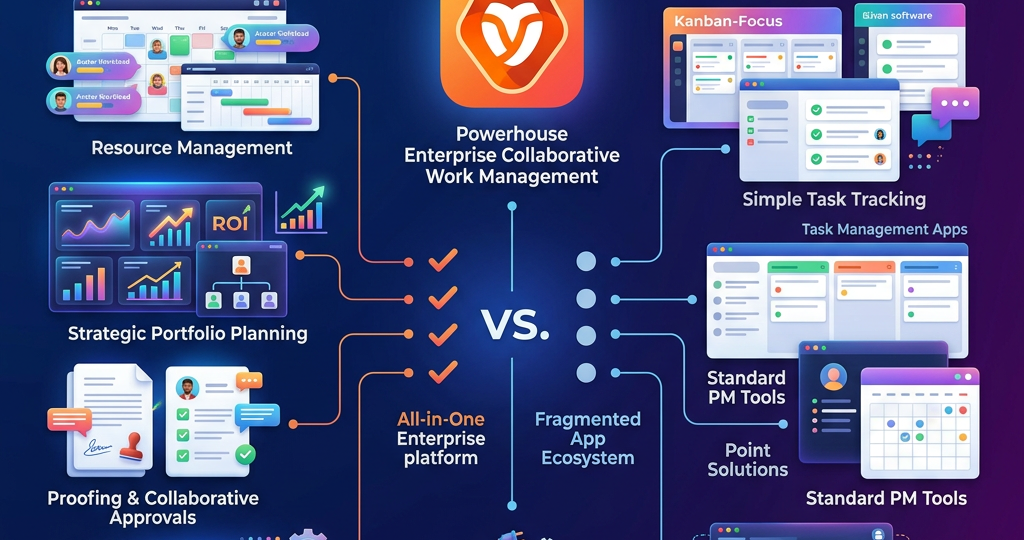
Unlike tools designed primarily to manage individual tasks, Workfront is built for organizations coordinating complex projects, marketing campaigns, creative production, approvals, and resources across multiple departments. Its broader ecosystem combines planning, workflow management, automation, reporting, and AI-assisted capabilities.
1. Distinctive Features of Adobe Workfront
Strategic planning connected to execution
Workfront helps organizations connect business priorities with the projects and activities required to achieve them. Its planning capabilities can organize campaigns, initiatives, and marketing information while providing visibility into how plans progress toward execution.
For example, a marketing leader can coordinate campaign planning with production tasks, approval stages, and delivery milestones rather than managing each activity in an isolated spreadsheet.
Enterprise project and portfolio management
Workfront supports projects, programs, portfolios, task dependencies, templates, and progress reporting. These capabilities help project management offices and department leaders manage interconnected initiatives, identify delivery risks, and coordinate priorities across teams.
Depending on the licensed package, organizations can also access more advanced strategic planning, resource management, and financial management features.
Intelligent resource and capacity management
Workfront helps managers understand workload, resource demand, and team capacity so they can make informed staffing decisions. This is particularly useful when creative specialists, campaign managers, analysts, and reviewers contribute to multiple projects simultaneously.
By comparing planned work with available resources, organizations can identify bottlenecks earlier and adjust schedules or assignments before deadlines are affected.
Workflow automation and integration
Workfront Fusion enables organizations to automate processes across connected applications and services. For example, a submitted request could trigger a workflow, create a project from a template, notify the responsible team, and transfer information to another business application.
Automation can reduce repetitive administrative work, improve consistency, and minimize manual data entry. Integration scenarios should be designed with appropriate error handling, access controls, and monitoring.
Digital proofing and approval management
Creative and marketing teams often lose time collecting feedback through email attachments and disconnected review tools. Workfront supports digital proofing, document review, approval workflows, and version-related collaboration.
These capabilities help teams centralize feedback, clarify approval responsibilities, and maintain a more traceable review process. Integrations with relevant Adobe creative and digital asset products can further connect content creation with delivery.
AI assistance, reporting, and visibility
Workfront’s AI-assisted features can help users find project information, summarize updates, and understand work context. Reporting and dashboards give managers visibility into delivery status, workload, and operational performance.
Adobe is also developing capabilities for AI collaborators and more intelligent work orchestration. The features available to a particular organization depend on its product configuration, licensing, and rollout status.
2. Major Advantages of Adobe Workfront
Workfront’s value comes from coordinating people, processes, and business priorities rather than simply recording task completion.
- Better strategic alignment: Teams can connect project activities with organizational objectives and campaign priorities.
- Improved productivity: Templates and automation reduce repetitive coordination and administrative effort.
- Resource optimization: Workload and capacity visibility support more informed staffing decisions.
- Faster creative delivery: Centralized proofing and approval processes can reduce review delays.
- Stronger governance: Configurable workflows, permissions, and reporting help large organizations maintain consistent processes.
- Enterprise-wide visibility: Dashboards and portfolio views help leaders understand delivery progress across teams.
- Connected digital operations: Integrations can link Workfront with creative tools and other enterprise applications.
These advantages are most significant when organizations establish clear ownership, standardize processes, and measure results such as cycle time, on-time delivery, resource utilization, and approval turnaround.
3. Adobe Workfront Competitors
The best alternative depends on whether an organization prioritizes enterprise portfolio governance, flexible task management, creative collaboration, or ease of adoption.
Wrike competes in project planning, resource management, workflow automation, and creative proofing. It is worth evaluating for organizations managing complex projects and cross-functional delivery processes. Workfront may be more attractive to businesses seeking close alignment with Adobe’s wider marketing ecosystem.
Asana emphasizes task coordination, goals, portfolios, and cross-team visibility. It can suit organizations seeking a straightforward way to coordinate work across departments, while Workfront is worth considering when detailed enterprise workflows and creative approvals are central requirements.
monday.com offers configurable boards, visual project tracking, dashboards, and workflow automation. It may appeal to teams that value flexibility and rapid configuration. Workfront is a stronger candidate to evaluate for organizations requiring structured enterprise work management across large marketing operations.
Smartsheet combines familiar grid-based planning with automation, reporting, and project coordination. It is a potential fit for teams that prefer spreadsheet-like workflows and flexible reporting, whereas Workfront focuses on connecting enterprise work planning, execution, and creative processes.
ClickUp combines tasks, documents, goals, dashboards, and collaboration features in a configurable workspace. It is worth assessing for teams wanting to consolidate everyday productivity tools, particularly when extensive enterprise marketing governance is not the primary requirement.
These products overlap but are not interchangeable in every situation. Their feature sets, licensing, integrations, and enterprise controls should be verified against the organization’s actual requirements.
4. Competitor Comparison at a Glance
Platform | Primary strength | Suitable use case |
|---|---|---|
Adobe Workfront | Enterprise work planning and creative operations | Large marketing and content organizations |
Wrike | Project delivery and resource coordination | Complex, cross-functional projects |
Asana | Goals and cross-team task coordination | Department-wide collaboration |
monday.com | Visual, configurable workflows | Flexible operational processes |
Smartsheet | Spreadsheet-style planning and reporting | Grid-based project management |
ClickUp | Consolidated productivity workspace | Teams combining tasks and documentation |
5. How to Choose the Right Solution
Before selecting a platform, organizations should document their workflow requirements, assess existing technology integrations, compare resource-planning and approval capabilities, and evaluate licensing and implementation costs. A pilot project can reveal how well each product supports real processes, user adoption, reporting, and security needs.
Adobe Workfront is particularly worth evaluating when strategic planning, creative approvals, enterprise resource management, and Adobe ecosystem integration are central to the business. Alternatives may be better suited to teams that prioritize simpler project tracking, spreadsheet-style planning, or highly configurable general-purpose workspaces.
Conclusion
Adobe Workfront is more than a project tracking application: it is an enterprise work management platform designed to connect business priorities with execution. Its combination of planning, portfolio management, resource visibility, workflow automation, proofing, reporting, and AI-assisted capabilities can help organizations coordinate complex work more effectively.
Competitors such as Wrike, Asana, monday.com, Smartsheet, and ClickUp provide credible alternatives, each with different strengths. The best choice is the platform that fits an organization’s workflow complexity, governance needs, integration landscape, budget, and long-term operating model.