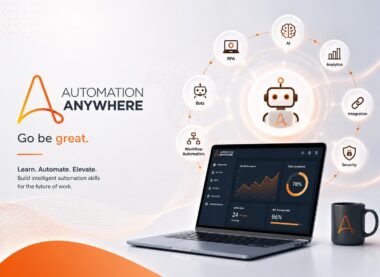
Automation Anywhere RPA Essentials Training
Start with Automation 360 fundamentals and build simple bots using variables, recorders, control flow, files, Excel, email, web automation, testing, and basic error handling.
-
 -by SkillDynamo
- 0 Students
- Last updated
Course Description
SkillDynamo’s Automation Anywhere RPA Essentials Training introduces robotic process automation and the core Automation 360 experience. Learners identify suitable tasks, navigate Control Room, create Task Bots, work with variables and control flow, automate files, spreadsheets, email, web, and desktop applications, test results, handle common errors, and run or share basic automations.
What You Will Learn
- Explain RPA concepts, use cases, benefits, limitations, and Automation 360 platform components.
- Create simple bots with packages, variables, conditions, loops, recorders, and reusable steps.
- Automate common file, spreadsheet, email, web, and desktop tasks.
- Test, debug, document, run, and share beginner automations responsibly.
Who Should Attend
RPA beginners, students, business analysts, operations professionals, junior developers, testers, and anyone starting an Automation Anywhere learning path.
Recommended Prerequisites
Basic computer skills and familiarity with office applications are sufficient. No prior RPA or programming experience is required.
SkillDynamo Training Approach
Training uses guided beginner exercises, short business scenarios, step-by-step bot creation, practice with common packages, testing, debugging, and a final end-to-end automation.
Curriculum
- 1 Section
- 4 Lessons
- 24 Hours
- Course Curriculum4 Items
- 1.1Lesson 1: RPA Fundamentals, Automation 360, Control Room, and First Bot6 hours
- 1.2Lesson 2: Variables, Conditions, Loops, Recorders, and Reusable Logic6 hours
- 1.3Lesson 3: File, Excel, Email, Web, and Desktop Automation6 hours
- 1.4Lesson 4: Error Handling, Testing, Credentials, Execution, and Final Project6 hours
SkillDynamo Expert Team
SkillDynamo Expert Team
The SkillDynamo Expert Team delivers practical training in Automation Anywhere, Automation 360, RPA development, Control Room, integrations, workload management, testing, deployment, governance, and support.
- Hands-on Automation 360 bot-development exercises
- Process, integration, queue, security, testing, and deployment guidance
- Certification-aligned and production-oriented RPA practices
Student Reviews
No published reviews yet.
Log in with your student account to submit a review. Register using your email.
Previously imported course feedback
Learner Reviews
Learner reviews will be added after verification and approval by the SkillDynamo team.