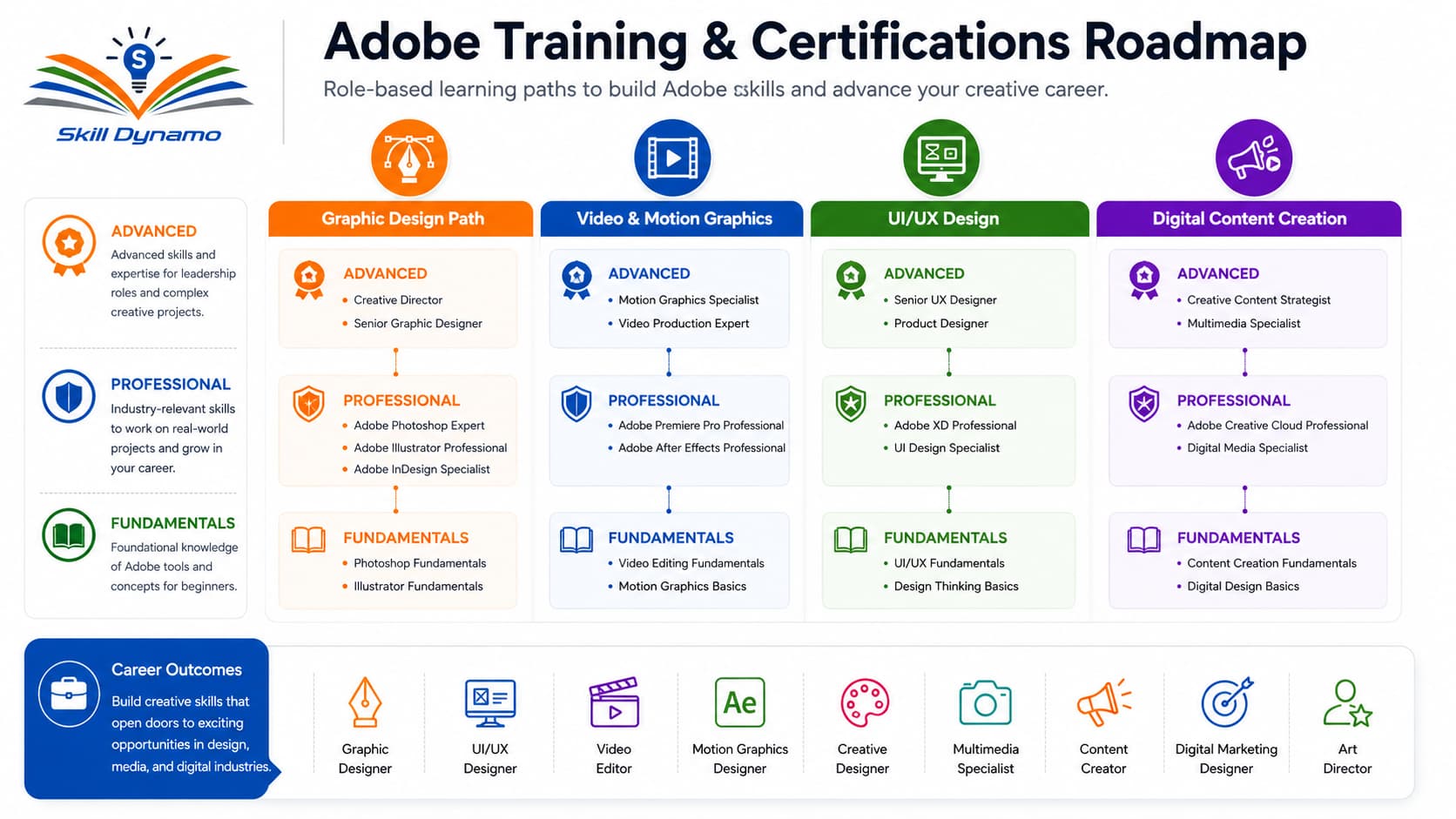
About Adobe Certification Courses
Adobe Certification Courses help learners build practical skills in graphic design, digital media, video editing, motion graphics, UI/UX design, web design, photography, and creative content production.
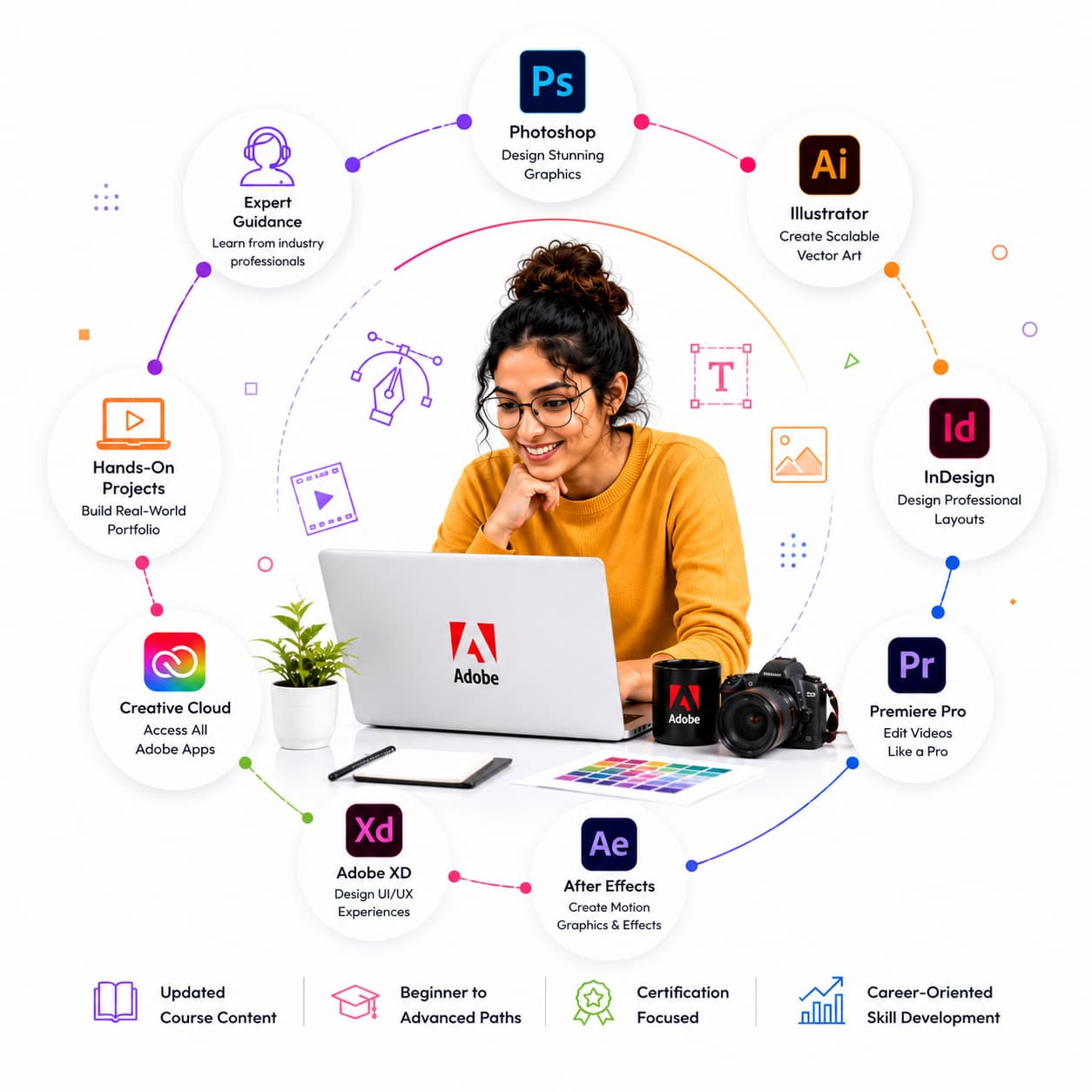
At Skill Dynamo, our Adobe training programs cover Photoshop, Illustrator, InDesign, Premiere Pro, After Effects, Adobe XD, Lightroom, Acrobat, Creative Cloud, and other industry-leading creative tools. Each course is designed with expert guidance, hands-on projects, and certification-focused preparation.
Why Learn Adobe Technologies?
Adobe products are widely used by creative professionals, marketing teams, designers, content creators, photographers, video editors, publishers, and businesses worldwide. Learning Adobe skills can help learners improve creativity, build professional portfolios, increase employability, and advance their careers in digital media and design.
Skill Dynamo Training Approach
Skill Dynamo provides structured Adobe training through expert-led sessions, practical exercises, real-world projects, portfolio development, and industry-focused learning paths. Our approach helps learners master creative tools and apply their skills confidently in professional environments.
Who Can Join?
These courses are suitable for students, fresh graduates, graphic designers, content creators, photographers, video editors, UI/UX designers, marketing professionals, freelancers, and creative teams.
Start Your Learning Journey
Choose the right Adobe course with Skill Dynamo and develop future-ready creative skills that help you succeed in today’s digital-first world.
Adobe: Transforming Creativity Through Digital Innovation
Adobe was founded in 1982 by John Warnock and Charles Geschke with a vision to revolutionize digital publishing and creative communication. What began as a software company focused on document technology quickly evolved into one of the world’s leading providers of creative and digital experience solutions.
Adobe gained global recognition through innovations such as PostScript, PDF technology, and Adobe Acrobat. Over time, the company expanded its portfolio with industry-standard creative applications including Photoshop, Illustrator, InDesign, Premiere Pro, After Effects, Lightroom, and Adobe XD.
As digital content creation became increasingly important, Adobe transformed the creative industry by providing professionals with powerful tools for graphic design, photography, video production, web design, animation, and digital marketing.
Today, Adobe technologies are used by designers, content creators, marketers, publishers, businesses, and creative professionals across the world to create engaging visual experiences and digital content.
For learners, Adobe’s history represents continuous innovation in creative technology. By learning Adobe applications, students and professionals can build valuable skills that support careers in design, media production, marketing, and digital communication.
Skill Dynamo’s Adobe courses are designed to help learners understand the Adobe ecosystem and gain practical creative skills that match today’s industry demands.
Adobe Skills for the 2026 Creative Workplace
AI-Powered Creative Design
Artificial Intelligence is transforming creative workflows through Adobe Firefly and AI-powered features across Creative Cloud applications. Designers can generate content faster, enhance creativity, and streamline repetitive tasks while maintaining professional quality.
Video Content Creation
Video continues to dominate digital marketing and online communication. Adobe Premiere Pro and After Effects skills are increasingly valuable for content creators, marketers, businesses, and media professionals.
UI/UX Design Growth
As organizations invest more in digital experiences, demand for UI/UX professionals continues to grow. Adobe XD and related design tools help learners create engaging user experiences for websites, mobile apps, and digital platforms.
Social Media Content Design
Businesses rely heavily on visual content for social media marketing. Adobe Creative Cloud applications help professionals create impactful graphics, videos, animations, and branded content across multiple platforms.
Digital Marketing and Creative Automation
Marketing teams increasingly use Adobe tools to create personalized customer experiences, interactive content, and digital campaigns. Creative professionals with Adobe expertise are becoming valuable assets in marketing organizations.
Creative Portfolio Development
Employers increasingly prioritize practical skills and portfolio quality. Adobe training helps learners build professional portfolios that showcase real-world projects and creative capabilities.
Adobe certifications are becoming more valuable as organizations seek professionals who can effectively use industry-standard creative software and adapt to evolving digital trends.
Future-Ready Learning with Skill Dynamo
Skill Dynamo’s Adobe courses are designed to help learners stay aligned with these emerging trends through updated training content, hands-on projects, expert-led sessions, and portfolio-focused learning experiences.




 SkillDynamo