Adobe AEM Forms Fast Track
This Adobe Experience Manager (AEM) Forms training provides a comprehensive understanding of adaptive forms development, architecture, and implementation. Participants will […]
-
 -by SkillDynamo
- 0 Students
- Last updated
Course Description
This Adobe Experience Manager (AEM) Forms training provides a comprehensive understanding of adaptive forms development, architecture, and implementation. Participants will learn the fundamentals of AEM Forms, including installation, ecosystem overview, and technology stack. The course covers adaptive form templates, custom form design, and best practices for building reusable form structures. It includes workflow-based training on form review, approval processes, and collaboration lifecycle management. Learners will gain expertise in Document of Record (DoR), XDP integration, and form data synchronization techniques. The training also explores form design elements such as panels, fields, and layout customization. Advanced topics include form portals, drafts, submissions, and localization with multilingual support. Participants will understand rule editor logic for dynamic form behavior and conditional processing. The course further covers AEM Forms development using Designer, LiveCycle concepts, and XML schema handling. By the end of the training, learners will be able to build, customize, and integrate enterprise-grade adaptive forms within AEM Sites efficiently.
What You Will Learn
- Explain adaptive forms architecture, installation context, ecosystem components, and how AEM Forms fits site delivery.
- Create adaptive form templates, reusable structures, authoring patterns, and design foundations for consistent form experiences.
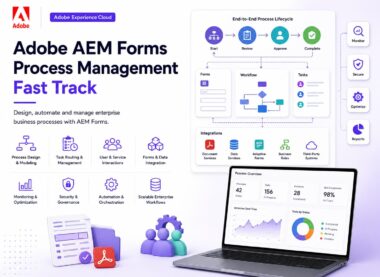
- Build review and approval workflows that route submissions through business validation, collaboration, and controlled decision points.
- Generate Document of Record outputs, connect XDP assets, and manage form data synchronization scenarios.
- Design panels, fields, layouts, validation messages, accessibility choices, and reusable form fragments for better usability.
- Manage drafts, submissions, portals, storage behavior, publishing states, and user continuation journeys across forms.
- Localize forms, configure multilingual support, address accessibility expectations, and validate regional content behavior.
- Use rule editor logic, Designer concepts, XML schemas, LiveCycle knowledge, and integration patterns for dynamic form solutions.
Course Curriculum
- Introduction to Adobe Adaptive Forms
- Adaptive Forms Templates
- Form Review and Approval Process
- Document of Record (DoR)
- Panels, Fields & Form Design
- Drafts, Submissions & Form Portal
- Form Localization & Accessibility
- Rule Editor & Form Logic
- Customizing Form Portal
- AEM Forms Development (Designer / LiveCycle)
- Prefill Services
- Custom Templates & Repeatable Sections
- Document Services
- Client Libraries & Scripting
- Document of Record (Advanced)
- Custom Form Components
- Forms Integration with AEM Sites
Curriculum
- 1 Section
- 17 Lessons
- 32 Hours
- Adobe AEM Forms Fast Track Curriculum17 Items
- 1.1Introduction to Adobe Adaptive Forms30 Minutes
- 1.2Adaptive Forms Templates30 Minutes
- 1.3Form Review and Approval Process30 Minutes
- 1.4Document of Record (DoR)30 Minutes
- 1.5Panels, Fields & Form Design30 Minutes
- 1.6Drafts, Submissions & Form Portal30 Minutes
- 1.7Form Localization & Accessibility30 Minutes
- 1.8Rule Editor & Form Logic30 Minutes
- 1.9Customizing Form Portal30 Minutes
- 1.10AEM Forms Development (Designer / LiveCycle)30 Minutes
- 1.11Prefill Services30 Minutes
- 1.12Custom Templates & Repeatable Sections30 Minutes
- 1.13Document Services30 Minutes
- 1.14Client Libraries & Scripting30 Minutes
- 1.15Document of Record (Advanced)30 Minutes
- 1.16Custom Form Components30 Minutes
- 1.17Forms Integration with AEM Sites30 Minutes
The trainer is an Adobe AEM
The trainer is an Adobe AEM, OCM-JEE, and OCJP certified professional with over 15+ years of experience across E-commerce, CMS, and Banking domains. He has extensive expertise in Adobe AEM versions 5.6 through 6.5 with Cloud and has delivered both online and classroom training programs globally. He is highly experienced in AEM Forms (6/6.1/6.2/6.3/6.4/6.5/6.5 Cloud), Adaptive HTML Forms, and workflow process design using AEM Workbench.
He has trained professionals from leading global organizations including Samsung, Airtel, Sony, Amdocs, UTC, GE, JP Morgan, Cisco, Nike, Walmart, BMW, and others. His technical expertise includes Java, JDBC, Servlets, JSP, OSGi, Apache Sling, and Sling Models, along with hands-on experience in AEM building blocks such as templates, components, dialogs, and workflows.
He has strong knowledge of AEM Forms administration, LiveCycle ES4 Designer and Workbench, custom workflows, schedulers, event listeners, and dispatcher configurations. His expertise extends to Multi Site Management, DAM customization, search optimization using Query Builder API, and indexing strategies.
He is skilled in designing and developing complex AEM components using JSP and Sightly (HTL), along with touch UI and classic UI dialog development. He has experience in integrating backend systems, building scalable workflows, and optimizing AEM performance. His strong understanding of AEM architecture enables him to customize and extend AEM functionalities based on client requirements effectively.
Student Reviews
★★★★☆
Best AEM Forms Training
This training has given me best knowledge transfer experience after many years. I will recommend anyone who is learning AEM Forms and want to have best start.
Log in with your student account to submit a review. Register using your email.
Previously imported course feedback
Rahim Shaik, Pune: Satish explained AEM Forms concepts like architecture, templates, and workflows in a very clear manner. The training on Adaptive Forms and DoR was highly practical and easy to understand. Real-time examples helped connect theory with implementation. Overall, a very effective and structured learning experience.
Mansoor AL Mahdi, Kuwait: Excellent training on AEM Forms modules including Rule Editor, Panels, and Form Design. Satish ensured all concepts like workflow approval and submissions were well understood. Hands-on approach made complex topics simple. Very helpful for real project scenarios.
Johnson, Scotland: Very good understanding of Adaptive Forms and Form Portal customization after this training. Satish explained DoR, XDP, and form localization effectively. Each module was well structured and easy to follow. Great learning experience overall.
Usha Kapoor, Bangalore: Excellent training on DoR, XDP, and form design concepts with practical examples. Satish made complex topics easy to understand.
Thomas, Canada: Clear explanation of Panels, Fields, and Form Design best practices. Helped in understanding how to build structured Adaptive Forms.
Isabella, Mexico: Strong explanation of Rule Editor and dynamic form logic. Conditional visibility and panel behavior were very well demonstrated.